
Introducing CAD Editor: Free Online CAD in Your Browser, on Any Device
- Coco Cao

- Jun 29
- 3 min read
Free, browser-based CAD that opens, edits, and exports DXF on any device, optimized for building drafting.
Today we're launching CAD Editor, a free online CAD editor that runs entirely in your web browser. Open it on a Mac, a Windows laptop, an iPad, or your phone, and start working in seconds.

Why we built a free online CAD
We believe people deserve better tools.
CAD was built decades ago, in the command-line era, and priced for people with spending power. For most of its life, opening a drawing has meant a paid per-seat license, a heavy desktop install, and a machine powerful enough to run it.
Our co-founder Al Dram is a third-generation architect and a longtime CAD power user — every shortcut in muscle memory, thousands of drawing sets by hand. He also spent years fighting the same small frustrations the software never fixed. So we built the tool we wished existed: free, light, and open to anyone.
What CAD Editor does
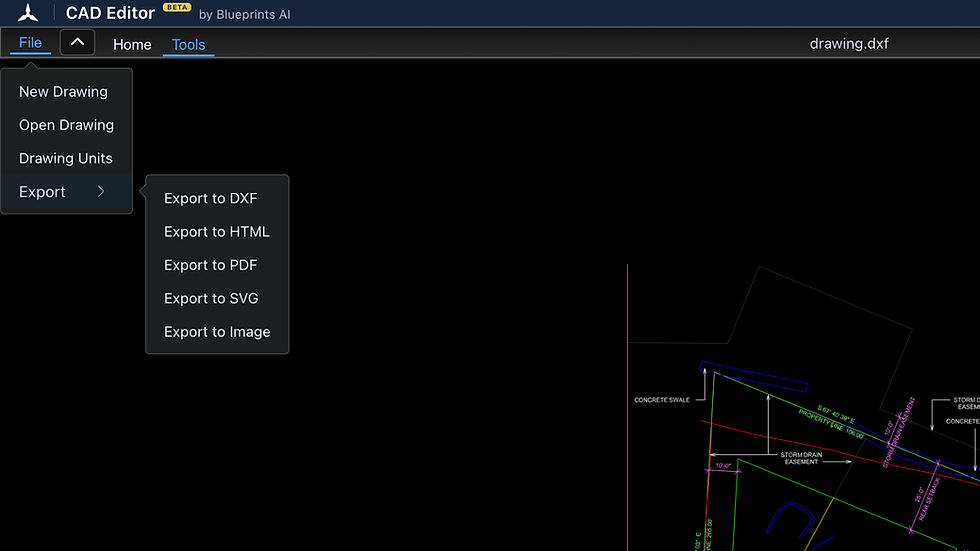
CAD Editor is optimized for 2d building drafting in the browser:
Draw with line, polyline, circle, and arc; move and modify; work in layers.
Architectural snaps and units, and the keyboard shortcuts and muscle memory you already have.
Open, edit, and export DXF files — then take them anywhere.
And the small things work the way they should. Type 5 space 5 and it knows you mean five feet, five inches — the kind of friction that's plagued CAD for years.
Best of all, it runs on the laptop you already have. No heavy install, no license checks, no top-spec machine.
We made CAD Editor intentionally minimal, and it isn't finished.
The sweet spot today: open a drawing anywhere, review it, make quick edits, and export — without being tied to one machine and one license.
Who is CAD Editor for
Drafters, architects, and engineers who need to open or check a drawing without a CAD license on the machine in front of them.
Contractors and builders who work in CAD can pull up a set, check a dimension, and mark it up from any device, no license needed.
Teams that want a light, anywhere way to review and mark up, no top-spec computer required — it runs on any laptop you already have.
Students, educators, and interns, or anyone learning to draft. Free, with no barrier to start.
What's next
We ship fast, and you decide what we ship.
CAD Editor has a feature request built in. Our team watches every one, and we move quickly. No waiting years for a fix that should have shipped in a week.
It connects to the rest of your workflow. CAD Editor is where you draw and design. When your drawing is ready, send it to Blueprints AI to generate code-compliant construction documents from it. Once those documents are back, open and refine them right here in CAD Editor. Draw, document, revise, all in one loop.
That integration is coming soon, and Blueprints AI customers will get a few surprise benefits for using CAD Editor.
Start now
Try CAD Editor at cad-editor.com. It's free, no account needed. Drop in a file and start.
FAQ
Is CAD Editor free? Yes — free to open, edit, and export, with no card required.
Do I need to install anything? No. It runs entirely in your web browser.
Do I need any license? No. Open a file and start in seconds.
What devices and browsers does it work on? Any modern browser on Mac, Windows, tablets, and phones.
What files does it support? DXF — open, edit, and export. DWG - open and edit.
Can I use CAD Editor on a Mac or iPad? Yes — it runs in the browser on both.